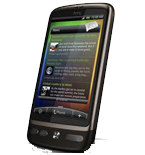
HTC Bravo dan yedeklenen kişiler, fotoğraflar, videolar ve sms mesajları
Güvenli buluta senkronizasyon için mevcut kılavuzlar
Desteklenen işlevler
- Kişiler senkronizasyonu
- SMS yedeklemesi
- fotoğraf senkronizasyonu
- video senkronizasyonu
- Otomatik senkronizasyon

kişiler, fotoğraflar, videolar ve sms mesajları verilerinizi HTC Bravo cihazından çevrimiçi bir depolama alanına ve geri aktararak güvende ve güncel tutun.
HTC Bravo cihazını PhoneCopy desteklenmektedir.
Lütfen aşağıdaki ayarların ürün yazılımı sürümüne bağlı olarak biraz değişebileceğini unutmayın.
Onaylanan modeller
Onaylanan sürümler
- Android 4.1 Jelly Bean
- Android 4.0 Ice Cream Sandwich
- Android 2.3 Gingerbread
- Android 2.2 Froyo
HTC Bravo üzerinde çalışan Android sürümleri
Senkronizasyon sırasında, PhoneCopy kullanıcılarının HTC Bravo cihazlarında şu Android sürümleri vardı: Android 2.2 Froyo (90.73%), Android 2.3 Gingerbread (8.62%), Android 4.0 Ice Cream Sandwich (0.52%), Android 4.1 Jelly Bean (0.14%).
HTC Bravo üzerindeki Android sürümleri
Grafik, dünya genelinde PhoneCopy ile kişi yedeklemesi için HTC Bravo ve Android sürümlerinin kullanımını göstermektedir.
Talimat metni - Nasıl yedekleme yapılır
HTC Bravo ile
- PhoneCopy for Android uygulamamızı mobil cihazınıza indirin.
- Uygulamayı başlattıktan sonra, uygulama üzerinden yeni bir hesap oluşturun. www.phonecopy.com web sayfalarında zaten bir hesap oluşturduysanız, bu mevcut hesapla uygulamada giriş yapın.
- Başarılı bir girişten sonra, uygulamanın kurulum sihirbazını takip edin ve ardından (mevcut bir yedeği olan hesaplar için) Synchronize / (boş bir hesap için) Backup öğesini seçin veya Later düğmesine basıp tek yönlü senkronizasyon için yan menüden Back up contacts / Restore contacts seçeneğini belirleyin.
Uygulamamız hakkında daha fazla bilgi için, PhoneCopy for Android sayfamızı.
Senkronizasyon esnasında herhangi bir problemle karşılaşırsanız Yardım İsteyin
Kullanıcı yorumları
Yorum yazmak için lütfen Giriş yapın
-
Hi, please since the day I have been using my Tecno spark 3 I yve not enjoy my personal video coverage, I mean whenever I make videos coverage then when I try to play the video, the video won't play very well, the picture in the video won't move the way a normal video suppose to move(skipping) please what can I do? abiolaolatubosun16, 8.06.2021
-
Sorry, we are a backup and synchronization service and not Tecno support.
-
