Samsung Galaxy S20 5G sm-g981u1 dan yedeklenen kişiler, fotoğraflar, videolar, sms mesajları ve arama günlükleri
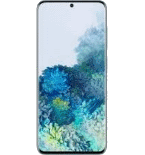
Güvenli buluta senkronizasyon için mevcut kılavuzlar
Desteklenen işlevler
- Kişiler senkronizasyonu
- SMS yedeklemesi
- arama günlüğü yedeklemesi
- fotoğraf senkronizasyonu
- video senkronizasyonu
- Otomatik senkronizasyon


kişiler, fotoğraflar, videolar, sms mesajları ve arama günlükleri verilerinizi Samsung Galaxy S20 5G sm-g981u1 cihazından çevrimiçi bir depolama alanına ve geri aktararak güvende ve güncel tutun.
Samsung Galaxy S20 5G sm-g981u1 cihazını PhoneCopy desteklenmektedir.
Lütfen aşağıdaki ayarların ürün yazılımı sürümüne bağlı olarak biraz değişebileceğini unutmayın.
Onaylanan modeller
Onaylanan sürümler
- Android 13
- Android 12
- Android 10
Haberler
- 15.05.2024
- PhoneCopy app is fully working after updating the Samsung Galaxy S20 5G sm-g981u1 to Android 13.
- 14.05.2024
- User from Almanya has synchronized kişiler with his phone.
- 21.08.2022
- Personal data backup from Samsung Galaxy S20 5G sm-g981u1 with Android 10 is now officially supported with our PhoneCopy mobile app.
- 20.08.2022
- User from Amerika Birleşik Devletleri has synchronized kişiler with his phone.
- 20.06.2022
- We just added Samsung Galaxy S20 5G sm-g981u1 to supported devices with Android 12 operating system. We allow synchronization and backup of contacts, SMSes, photos, and videos to a secure PhoneCopy Cloud.
Samsung Galaxy S20 5G sm-g981u1 üzerinde çalışan Android sürümleri
PhoneCopy for Android uygulaması çeşitli Android sürümlerini desteklemektedir. Kullanıcılarımız Android 13 (76.92%), Android 10 (15.38%), Android 12 (7.69%) çalıştıran Samsung Galaxy S20 5G sm-g981u1 cihazlarını senkronize etti.
Aşağıdaki pasta grafiği, PhoneCopy ile senkronize edilirken Samsung Galaxy S20 5G sm-g981u1 üzerindeki Android sürümleri arasındaki payı göstermektedir.
dünya genelindeki Samsung Galaxy S20 5G sm-g981u1 kullanıcıları
Samsung Galaxy S20 5G sm-g981u1, dünya genelindeki birçok ülkede PhoneCopy kullanıcıları tarafından kişi yedeklemesi için tercih edilmektedir - Almanya (Deutschland) - 70.00%, Amerika Birleşik Devletleri (Estados Unidos, États-Unis, ‘Amelika Hui Pū ‘ia) - 30.00%.
Aşağıdaki ısı haritası, PhoneCopy kullanarak Samsung Galaxy S20 5G sm-g981u1 cihazlarını senkronize eden dünya genelindeki kullanıcılar arasındaki payı göstermektedir.
Talimat metni - Nasıl yedekleme yapılır
Samsung Galaxy S20 5G sm-g981u1 ile
- PhoneCopy for Android uygulamamızı mobil cihazınıza indirin.
- Uygulamayı başlattıktan sonra, uygulama üzerinden yeni bir hesap oluşturun. www.phonecopy.com web sayfalarında zaten bir hesap oluşturduysanız, bu mevcut hesapla uygulamada giriş yapın.
- Başarılı bir girişten sonra, uygulamanın kurulum sihirbazını takip edin ve ardından (mevcut bir yedeği olan hesaplar için) Synchronize / (boş bir hesap için) Backup öğesini seçin veya Later düğmesine basıp tek yönlü senkronizasyon için yan menüden Back up contacts / Restore contacts seçeneğini belirleyin.
Uygulamamız hakkında daha fazla bilgi için, PhoneCopy for Android sayfamızı.
Senkronizasyon esnasında herhangi bir problemle karşılaşırsanız Yardım İsteyin
Kullanıcı yorumları
Yorum yazmak için lütfen Giriş yapın
-
For some strange reason, app cannot access phone contacts stored on device - after granting proper permission it will show 0 contacts. Checked with other contact app, and they can be accessed. Android 11 (Lineage OS 18.1), Sony Xperia ZX 1 Compact gladykov, 3.01.2022
-
Answered via private email.
-
Nuruseyd842@gmail.com
-
-
