Samsung Galaxy S23 5G sm-s911b dan yedeklenen kişiler, fotoğraflar, videolar, sms mesajları ve arama günlükleri
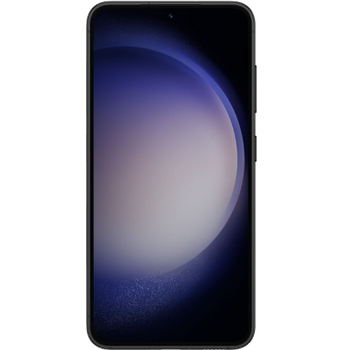
Güvenli buluta senkronizasyon için mevcut kılavuzlar
Desteklenen işlevler
- Kişiler senkronizasyonu
- SMS yedeklemesi
- arama günlüğü yedeklemesi
- fotoğraf senkronizasyonu
- video senkronizasyonu
- Otomatik senkronizasyon


kişiler, fotoğraflar, videolar, sms mesajları ve arama günlükleri verilerinizi Samsung Galaxy S23 5G sm-s911b cihazından çevrimiçi bir depolama alanına ve geri aktararak güvende ve güncel tutun.
Samsung Galaxy S23 5G sm-s911b cihazını PhoneCopy desteklenmektedir.
Lütfen aşağıdaki ayarların ürün yazılımı sürümüne bağlı olarak biraz değişebileceğini unutmayın.
Onaylanan modeller
Onaylanan sürümler
- Android 16
- Android 15
- Android 14
- Android 13
Haberler
- 15.09.2026
- Someone used PhoneCopy for backup of this phone model in Zimbabve. His kişiler were transferred.
- 15.06.2026
- Even in Rusya we have a user with Samsung Galaxy S23 5G sm-s911b phone. He backs up his kişiler.
- 27.03.2026
- First user from Ukrayna just synced his kişiler ve medya on Samsung Galaxy S23 5G sm-s911b phone.
- 26.11.2025
- We detected PhoneCopy app on Samsung Galaxy S23 5G sm-s911b phone in Brezilya. All kişiler ve medya were backed up.
- 18.10.2025
- Samsung Galaxy S23 5G sm-s911b cihazının Android 16'ya güncellenmesinin ardından PhoneCopy uygulaması tam olarak çalışıyor.
- 15.08.2025
- We detected PhoneCopy app on Samsung Galaxy S23 5G sm-s911b phone in Tunus. All kişiler were backed up.
- 15.05.2025
- We noticed the update possibility of Samsung Galaxy S23 5G sm-s911b to a new Android operating system version 15.
- 2.11.2023
- We noticed the update possibility of Samsung Galaxy S23 5G sm-s911b to a new Android operating system version 14.
- 20.02.2023
- We added Samsung Galaxy S23 5G sm-s911b to supported devices with Android 13.
Samsung Galaxy S23 5G sm-s911b üzerinde çalışan Android sürümleri
PhoneCopy for Android uygulaması çeşitli Android sürümlerini desteklemektedir. Kullanıcılarımız Android 14 (48.64%), Android 16 (21.61%), Android 13 (15.08%), Android 15 (14.67%) çalıştıran Samsung Galaxy S23 5G sm-s911b cihazlarını senkronize etti.
Aşağıdaki pasta grafiği, PhoneCopy ile senkronize edilirken Samsung Galaxy S23 5G sm-s911b üzerindeki Android sürümleri arasındaki payı göstermektedir.
dünya genelindeki Samsung Galaxy S23 5G sm-s911b kullanıcıları
İstatistiklerimize göre, PhoneCopy kullanıcıları Samsung Galaxy S23 5G sm-s911b cihazını Çekya (Czech Republic, Česká republika) - 65.68%, İtalya (Italia) - 11.72%, İngiltere (Y Deyrnas Unedig, Unitit Kinrick, Rìoghachd Aonaichte, Ríocht Aontaithe, An Rywvaneth Unys) - 8.74%, Brezilya (Brasil) - 3.83%, Amerika Birleşik Devletleri (Estados Unidos, États-Unis, ‘Amelika Hui Pū ‘ia) - 2.79%, Avusturya (Österreich) - 1.43%, Rusya (Rossiya, Rossiâ, Россия) - 0.79%, Romanya (România) - 0.54%, Tunus (Tunes, ⵜⵓⵏⵙ, Tūns, تونس) - 0.43%, Danimarka (Danmark) - 0.43% ülkelerinde ve 26 ülkede daha veri yedeklemesi için kullanmaktadır.
Aşağıdaki ısı haritası, PhoneCopy kullanarak Samsung Galaxy S23 5G sm-s911b cihazlarını senkronize eden dünya genelindeki kullanıcılar arasındaki payı göstermektedir.
Talimat metni - Nasıl yedekleme yapılır
Samsung Galaxy S23 5G sm-s911b ile
- PhoneCopy for Android uygulamamızı mobil cihazınıza indirin.
- Uygulamayı başlattıktan sonra, uygulama üzerinden yeni bir hesap oluşturun. www.phonecopy.com web sayfalarında zaten bir hesap oluşturduysanız, bu mevcut hesapla uygulamada giriş yapın.
- Başarılı bir girişten sonra, uygulamanın kurulum sihirbazını takip edin ve ardından (mevcut bir yedeği olan hesaplar için) Synchronize / (boş bir hesap için) Backup öğesini seçin veya Later düğmesine basıp tek yönlü senkronizasyon için yan menüden Back up contacts / Restore contacts seçeneğini belirleyin.
Uygulamamız hakkında daha fazla bilgi için, PhoneCopy for Android sayfamızı.
Senkronizasyon esnasında herhangi bir problemle karşılaşırsanız Yardım İsteyin
Kullanıcı yorumları
Yorum yazmak için lütfen Giriş yapın
-
-
Hello, 96,486 is really big count of SMS. It is possible that the processing of such a number of items takes a long time and it is possible that server terminate the communication due to a long time without response from the device.
We are curently working on optimalization of application, which may solve issue like yours. We will release new version of app asap, within a few days at the latest. We will contact you. Please, be patient.
Thank you-
Hello,
we developed a promised new beta version (3.4.3) of app. This optimized version should solve your reported issue. Please, download and install new version and try to sync again with it.
I recommend, plug in charger during sync, because sync of big count of items take long time and it is possible that Android system will try to limit the app due to battery life.
Download link: https://www.phonecopy.com/android/download/phonecopy.apk
Please, send us feedback, if it works now or not.
Thank you for your patience and cooperation.
-
-

My phone has 96,486 SMS that has to be backed up but the process keeps terminating due to "internet connection lost". My fiber internet access is quite stable so I don't think disruption is the cause. Is there a way I can back up the sms in parts? mebacal1960, 19.10.2020