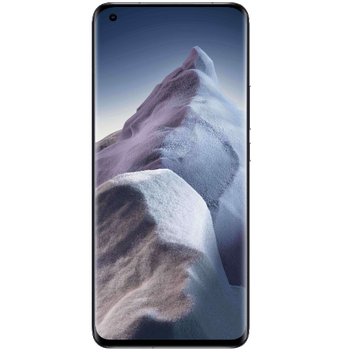
Sauvegarder contacts, photos, vidéos, SMS et call logs depuis Xiaomi Mi 11 Ultra

Xiaomi Mi 11 Ultra

Available guides for synchronization to the secure cloud

Supported functions

  • synchronisation des contacts
  • synchronisation des sms
  • call log backup
  • synchronisation des photos
  • synchronisation des vidéos
  • synchronisation automatique

Xiaomi Mi 11 Ultra est pris en charge avec PhoneCopy. Veuillez noter que les paramètres suivants peuvent varier légèrement en fonction de la version du micrologiciel.

Confirmed models

m2102k1c: star/star (qcom/star)
m2102k1c: vayu_global/vayu (qcom/msmnile)
m2102k1c: vayu_global/vayu (qcom/vayu)
m2102k1g: star_eea/star (qcom/star)
m2102k1g: star_global/star (qcom/star)
m2102k1g: star_in/star (qcom/star)
m2102k1g: surya_eea/surya (qcom/sm6150)

Confirmed versions

Android 14
ap2a.240905.003 (unknown/unknown)
Android 13
tkq1.220829.002 (unknown/unknown)
Android 12
sq1d.220105.007 (unknown/unknown)
sq1d.211205.016.a1 (unknown/unknown)
skq1.211006.001 (4.3cpl2-11.3-4722.1-0217_0124_2445855293,4.3cpl2-11.3-4722.1-0217_0124_2445855293/unknown)
skq1.211006.001 (unknown/unknown)
Android 11
rkq1.201112.002 (unknown/unknown)

Nouvelles

02/04/2025
Even in Japon we have a user with Xiaomi Mi 11 Ultra phone. He backs up his contacts, fichiers multimédias, SMS et call logs.
Android 14 can be officially updated even on Xiaomi Mi 11 Ultra.
01/04/2025
Recently we got new user of Xiaomi Mi 11 Ultra also in Indonésie. He is using PhoneCopy for backup of contacts, SMS et call logs.
17/01/2024
User from Russie has synchronized contacts, SMS et call logs with his phone.
20/11/2023
User from Danemark has synchronized contacts et SMS with his phone.
21/03/2023
Xiaomi Mi 11 Ultra now offers Android 13 update.
09/04/2022
We detected PhoneCopy app on Xiaomi Mi 11 Ultra phone in Roumanie. All contacts were backed up.
31/01/2022
Update Xiaomi Mi 11 Ultra to Android 12 is available including the fully working contact, SMS, photo, and video backup to PhoneCopy Cloud.
23/05/2021
We freshly support Xiaomi Mi 11 Ultra with Android 11 OS for photo, video, call logs, SMS and contact backup.

versions Android fonctionnant sur Xiaomi Mi 11 Ultra

L'application PhoneCopy pour Android prend en charge diverses versions de Android. Nos utilisateurs ont synchronisé leur Xiaomi Mi 11 Ultra avec Android 13 (51.56%), Android 12 (29.69%), Android 11 (17.19%), Android 14 (1.56%).

Le graphique illustre la sauvegarde de Xiaomi Mi 11 Ultra avec PhoneCopy, exécutée sur différentes versions de Android.

Xiaomi Mi 11 Ultra utilisateurs dans le monde

Xiaomi Mi 11 Ultra est souvent utilisé par les utilisateurs de PhoneCopy dans des pays comme Allemagne (Deutschland) - 82.31%, Syrie (Suriyah, سورية) - 3.85%, Royaume-Uni (Y Deyrnas Unedig, Unitit Kinrick, Rìoghachd Aonaichte, Ríocht Aontaithe, An Rywvaneth Unys) - 3.08%, Indonésie - 1.54%, Russie (Rossiya, Rossiâ, Россия) - 1.54%, États-Unis (Estados Unidos, États-Unis, ‘Amelika Hui Pū ‘ia) - 1.54%, France - 1.54%, Pakistan (Pākistān, پاکستان) - 0.77%, Roumanie (România) - 0.77%, Danemark (Danmark) - 0.77% et 3 autres pays.

L'histogramme illustre la sauvegarde de Xiaomi Mi 11 Ultra avec PhoneCopy dans le monde entier.

Guide textuel - Comment sauvegarder

À partir de Xiaomi Mi 11 Ultra

Guideline n'a pas encore été traduit dans votre langue.
If you want to transfer contacts from your Android device please use following screenshot guide.
  1. Download our PhoneCopy for Android application to your mobile device.
  2. After launching the application, create a new account from the application. If you have already created an account on web pages www.phonecopy.com, log in to this existing account in the application.
  3. After successful login, go through the application setup wizard and then select "Synchronize" (for an account with an existing backup) / "Backup" (for an empty account) or press the "Later" button and then select option in the side menu "Back up contacts" / "Restore contacts" for one-way synchronization.

More detailed information and instructions include screenshots: how to backup and synchronize contacts from Android

For more information about our app, visit our PhoneCopy for Android page.


You need an Android phone version 4.4 (KitKat), 5.0, 5.1 (Lollipop), 6.0 (Marshmallow), 7.0, 7.1 (Nougat), 8.0, 8.1 (Oreo), 9.0 (Pie), 10, 11, 12, 13 and 14 incl. tablets. Let us just remind you, that for now PhoneCopy for Android transfers to server contacts, photos, videos and SMS.

En cas de problemes dans la synchonisation, veuillez nous contacter.

Vers Xiaomi Mi 11 Ultra

Guideline n'a pas encore été traduit dans votre langue.
If you want to transfer contacts to your Android device please use following screenshot guide.
  1. Download our PhoneCopy for Android application to your mobile device.
  2. After launching the application, create a new account from the application. If you have already created an account on web pages www.phonecopy.com, log in to this existing account in the application.
  3. After successful login, go through the application setup wizard and then select "Synchronize" (for an account with an existing backup) / "Backup" (for an empty account) or press the "Later" button and then select option in the side menu "Back up contacts" / "Restore contacts" for one-way synchronization.

More detailed information and instructions include screenshots: how transfer contacts to Android

For more information about our app, visit our PhoneCopy for Android page.


You need an Android phone version 4.4 (KitKat), 5.0, 5.1 (Lollipop), 6.0 (Marshmallow), 7.0, 7.1 (Nougat), 8.0, 8.1 (Oreo), 9.0 (Pie), 10, 11, 12, 13 and 14 incl. tablets. Let us just remind you, that for now, PhoneCopy for Android transfers to server contacts, photos, videos, and SMS.

En cas de problemes dans la synchonisation, veuillez nous contacter.

Commentaires des utilisateurs

Pour laisser un commentaire identifiez-vous.

  • I am using the free edition, to only sync my Contacts. I had more than 500 contacts on my phone device, and as a New Year's resolution, I decided to delete most numbers that I would never use. I backed up/exported the necessary information and succeeded to fall below 500.

    But on Phonecopy on the cloud there is a different amount of Contacts, much more than 600. On the app I see that it recognizes that I do have less than 500 contacts on my device.

    But of course it does not sync. What do I have to do to make this work?
    kanoyati, 03/01/2024
    • It sounds like the cloud version still holds your old contacts. Try deleting the extra contacts directly from your PhoneCopy cloud account, then force a manual sync from your device. If that doesn’t work, you might need to reset the sync or re-link your account. Hope this helps! kaydenblake, 25/03/2025
    • Hello,
      the number of contacts online is what matters. So please remove unnecessary contacts on the web. After that, the synchronization will be allowed again.
      L'équipe d'assistance de PhoneCopy, 03/01/2024
      • So, though I did all the cleanup locally in my phone's contacts, and though the App DOES see the local number as less than 500 it will not initiate uploading the information as for the deletions? Because if it replicated the deletions, then there would not be a sync problem. kanoyati, 03/01/2024
        • Hello,
          the limit works this way. It is stated in the email user receives when the limit is exceeded.
          L'équipe d'assistance de PhoneCopy, 04/01/2024
          • I realize the limitation of the platform, and since it is not capable of synchronizing in the traditional technical meaning of the term, could you suggest a workaround?

            Perhaps if I deleted my account, removed my app and started over in a suggested sequence so that my less than 500 contacts would be then uploaded?
            kanoyati, 04/03/2024
            • If you have blocked an account because of exceeding limits, you just need to delete some contacts on the server to fit the limit of 500 and your account will be unlocked. L'équipe d'assistance de PhoneCopy, 04/03/2024
              • there is much overhead to re-do the same thing I already did locally a few months ago.

                Do you think, considering all I have previously mentioned, that there is a different work-around to the platform not being able to two-say sync the information?
                kanoyati, 04/03/2024
                • It seems we are discussing several contacts which have to be deleted from your online profile to make it free again. We explained to you that contacts online are what matters. If you don't want to follow our recommendation you can delete the whole account and create it as a new profile with the number of contacts stored in your mobile phone. L'équipe d'assistance de PhoneCopy, 04/03/2024
See whole discussion